▦
Admin & staff UI
Daily operations, fleet control, customers, pricing, payments, reporting, and system administration.
Explore the tools rental teams use every day: check vehicle availability, create bookings and agreements, manage rates, collect payments, track fleet activity and accept reservations online—all with connected customer records.
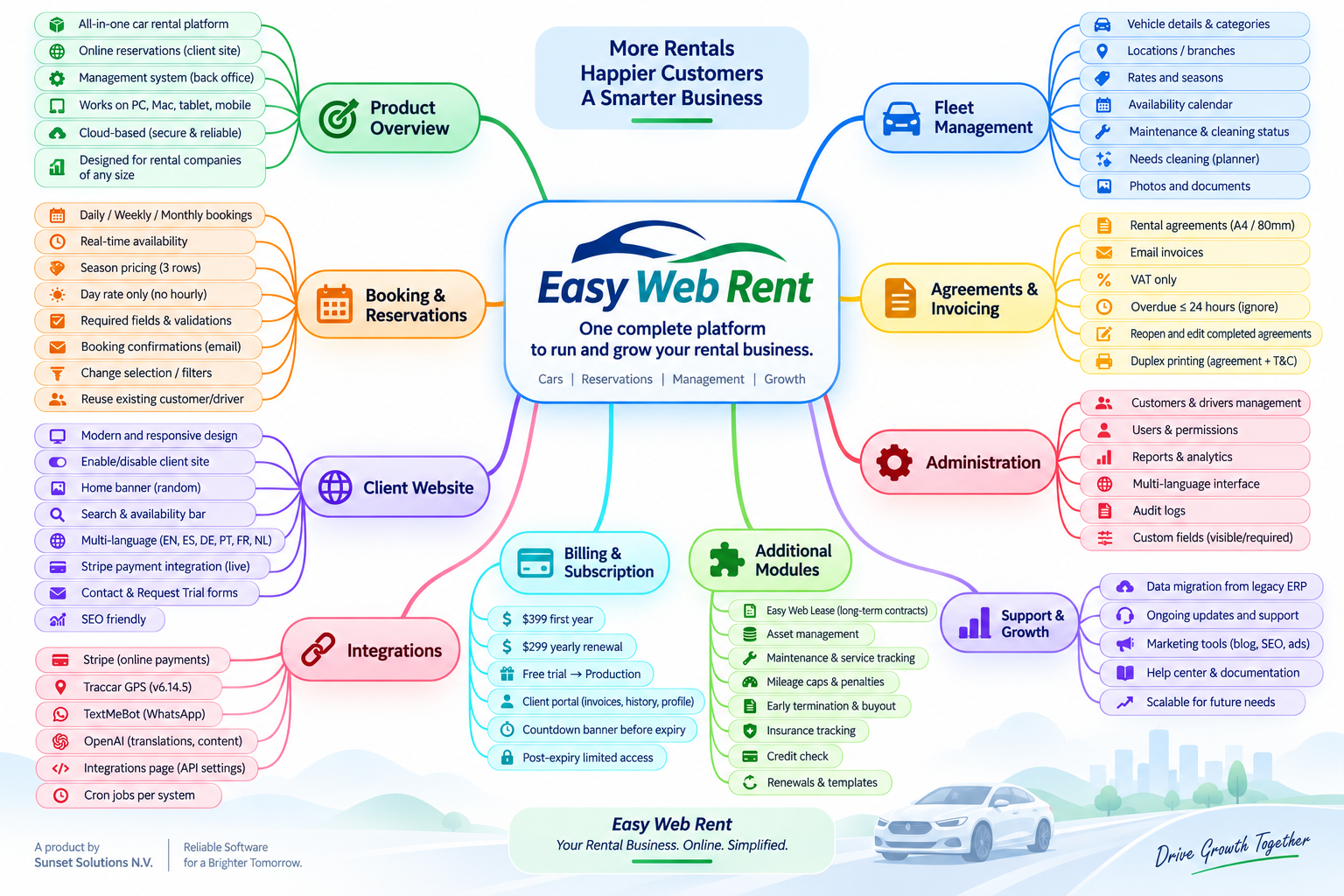
The same customer, vehicle, availability, pricing, and payment information is shared between daily staff operations and the customer booking website.
Daily operations, fleet control, customers, pricing, payments, reporting, and system administration.
Fleet browsing, availability, online booking, checkout, payment, confirmations, and self-service.
Keep reservations, vehicles, customer details, payment records and reporting connected instead of switching between separate tools. Your team works from shared information throughout the rental process.
Set up staff access and company preferences to match how you operate. Permissions help team members work with the tools they need, while activity records support accountability.
Operational users receive current views of today’s workload, fleet state, upcoming rentals, outstanding balances, and exceptions requiring attention.
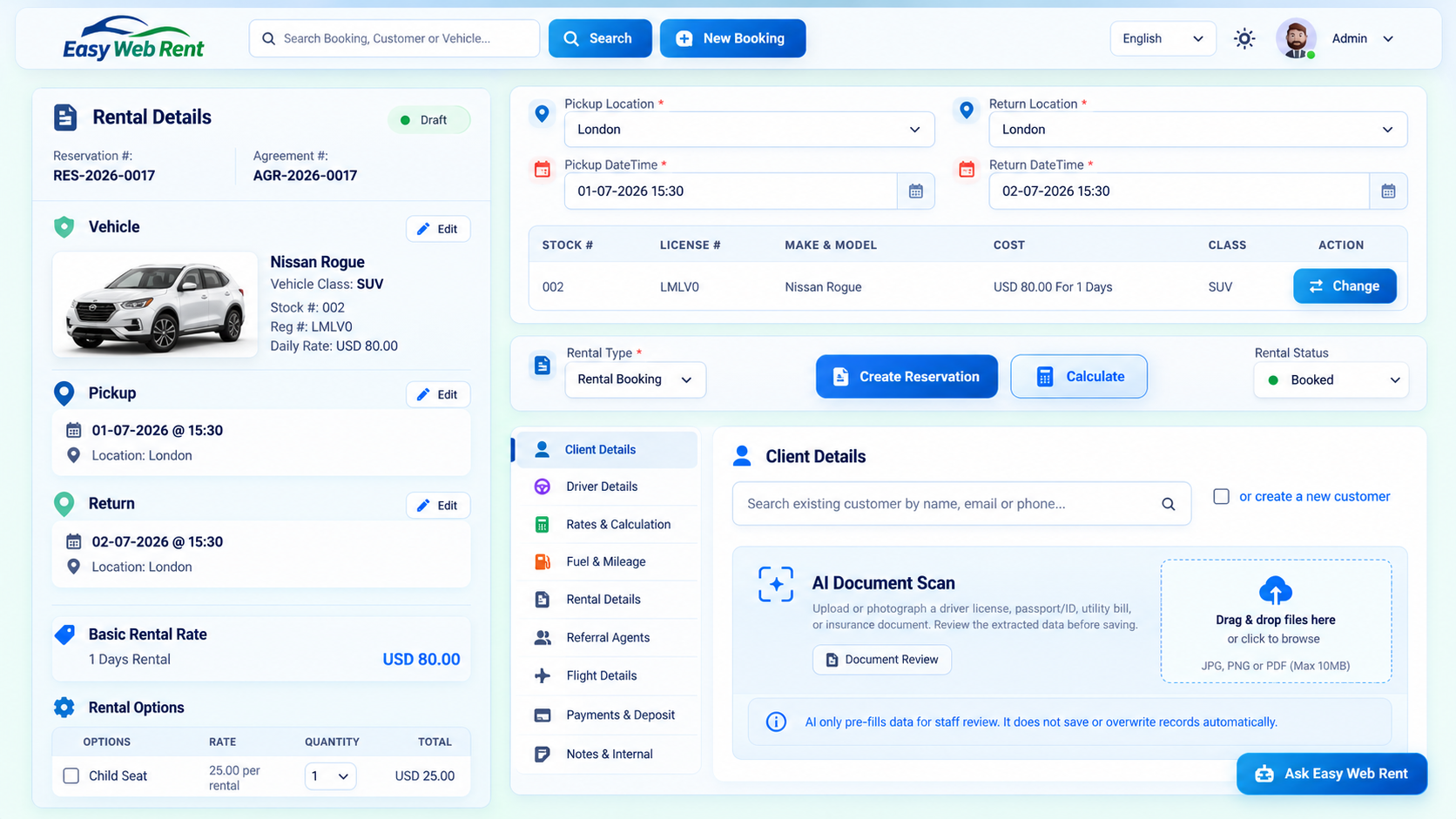
See reservations, pickups, returns, utilization, balances, maintenance alerts, and recent activity in one operational view.
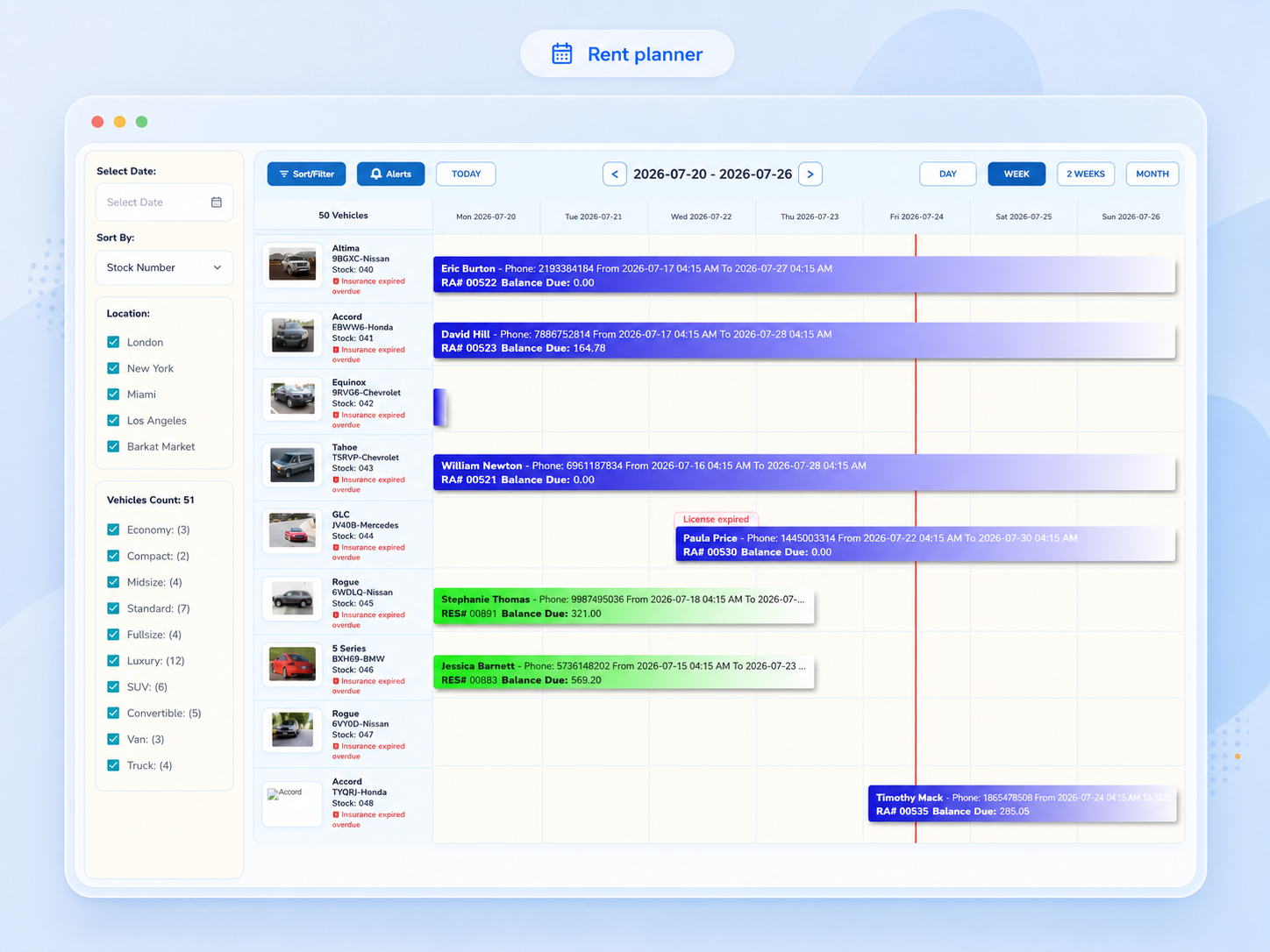
Plan vehicle assignments on a clear timeline with reservation spans, availability, status colors, and conflict awareness.
A shared booking workflow supports the complete commercial and operational rental lifecycle with consistent pricing, availability, customer, driver, and vehicle information.
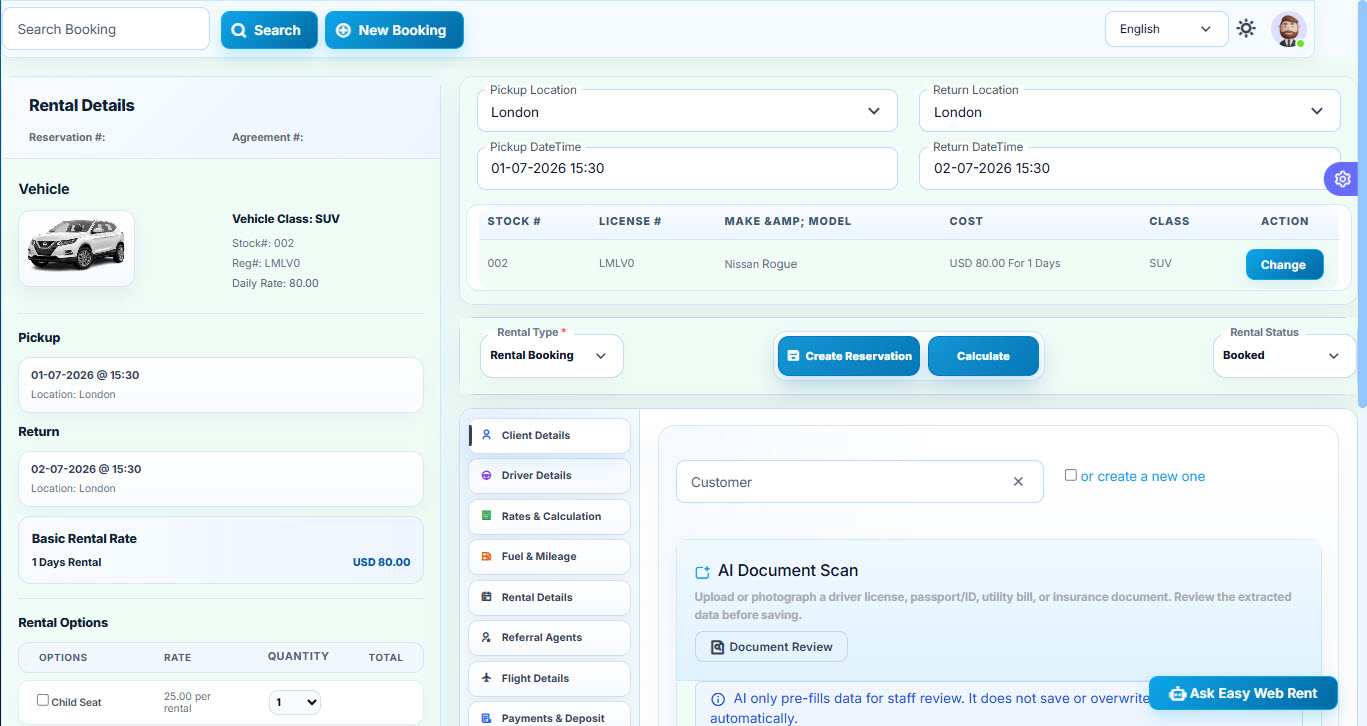
Create quotations, reservations, and rental agreements while keeping customer, vehicle, pricing, payment, and rental details together.
Customer records combine contact, compliance, payment-reference, history, documents, warnings, and driver information needed for daily rental operations.
The fleet module manages the complete vehicle record, availability state, compliance, maintenance, expenses, profitability, and live position data.
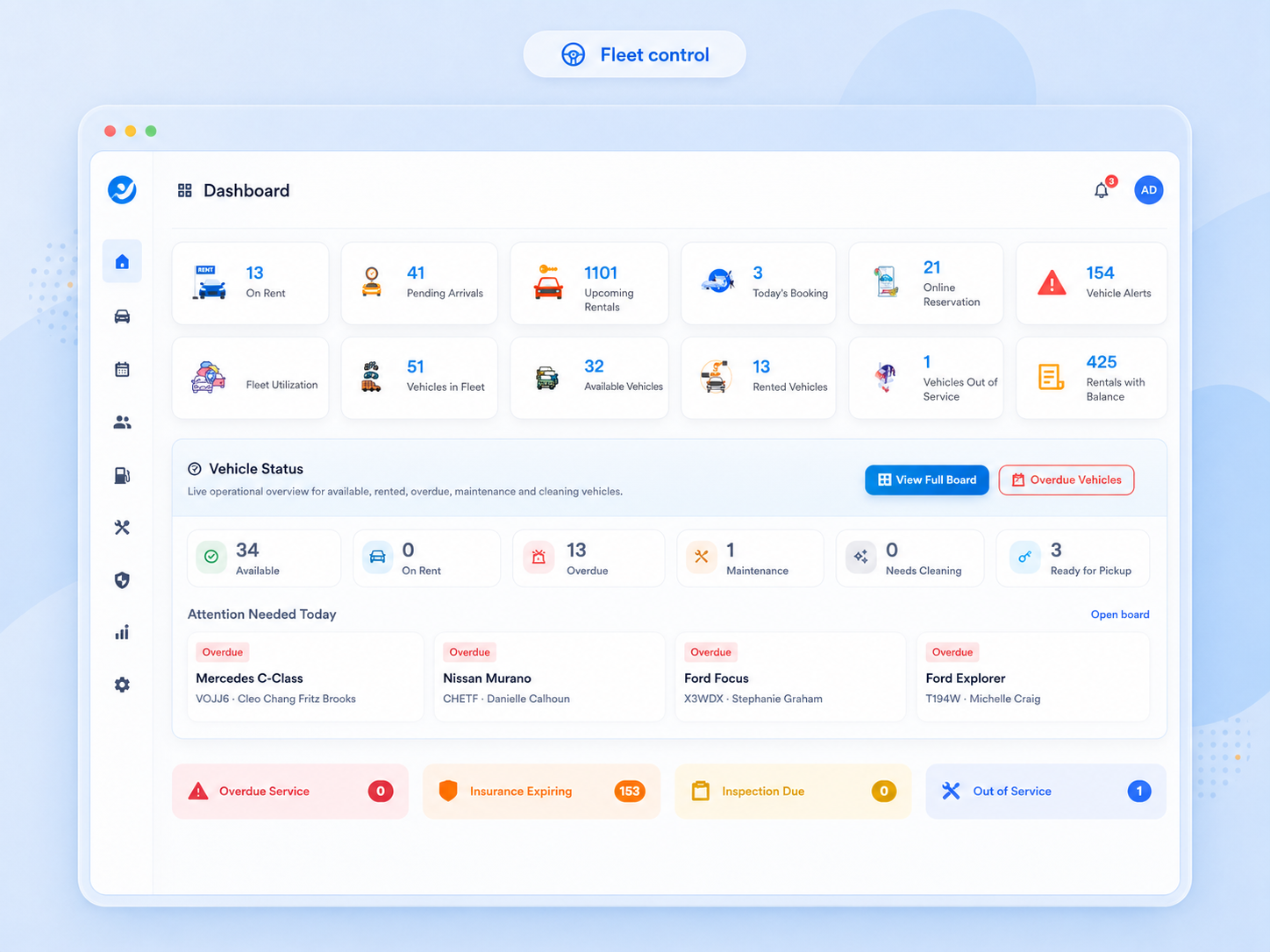
Review vehicle status, class, registration, service information, location, availability, documents, rates, and rental history.
Centralized pricing and availability ensure that staff bookings and the customer website apply the same rates, taxes, options, and availability rules.
The payment module supports manual and online payments, complete transaction history, invoices, credit notes, security deposits, reconciliation, and accounting summaries.
A configurable customer-facing website connects directly to fleet availability, pricing, reservations, payments, and self-service information.
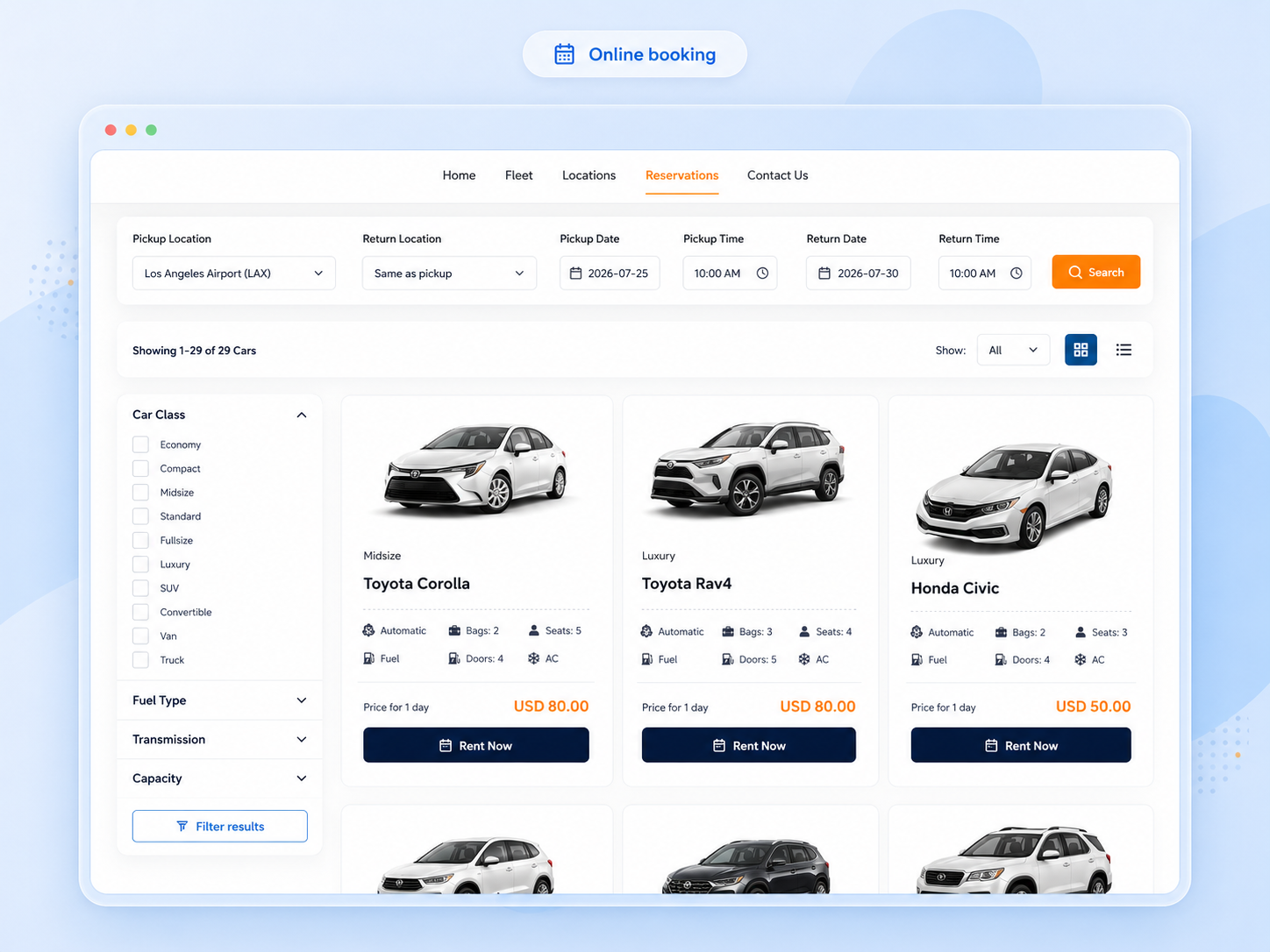
Let customers search availability, compare classes, select a vehicle, add rental options, pay online, and receive confirmation.
Centralized integration settings connect Easy Web Rent with email, WhatsApp, SMS-ready notifications, vehicle tracking, payment services, and AI-assisted tools.
A connected set of AI-assisted workflows that help rental teams serve customers, follow opportunities and oversee automation. Financial transactions remain subject to the normal booking and payment controls.
Operational, financial, fleet, profitability, and exception reports support daily control and management decisions, with reusable print and export formats.
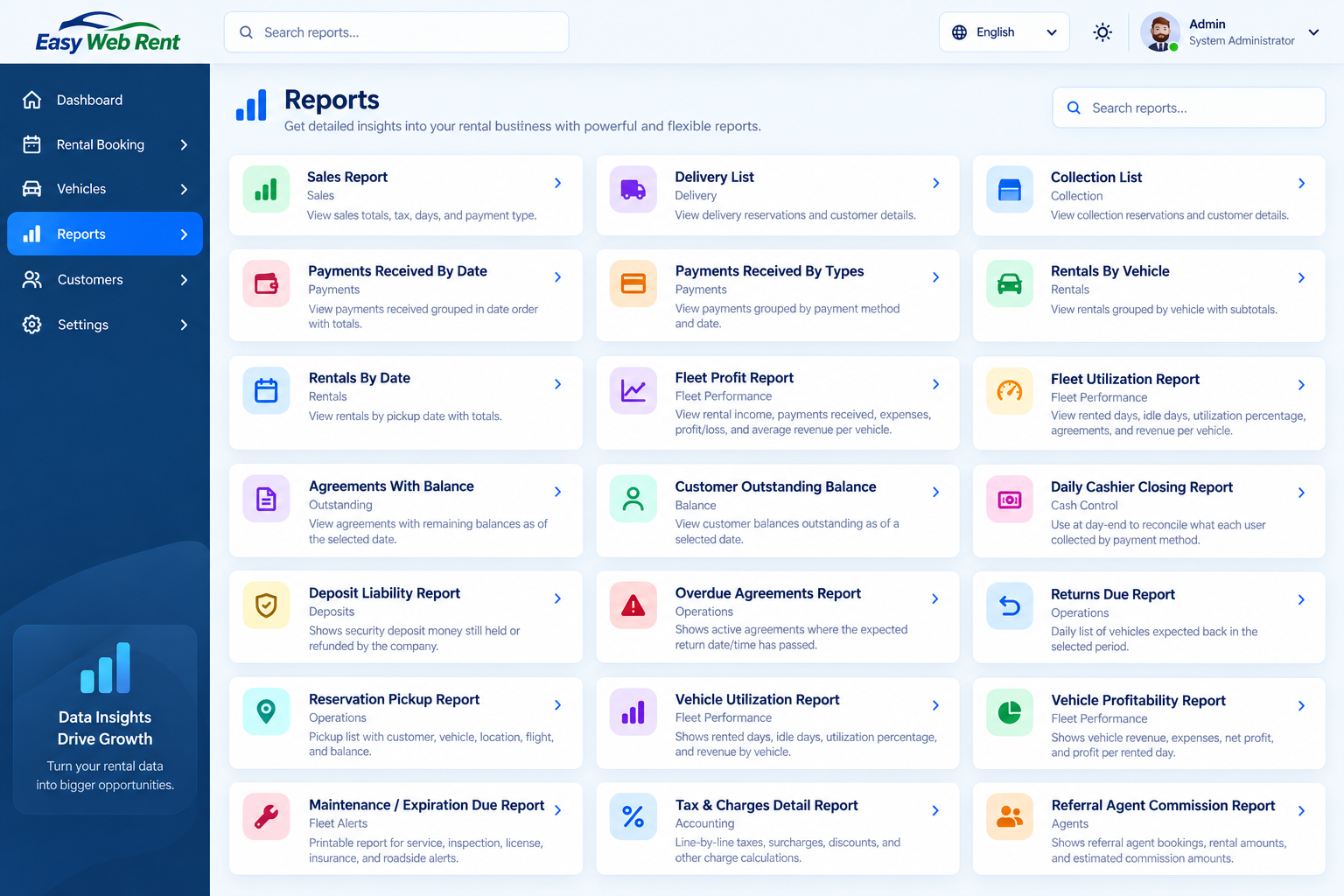
Track revenue, payments, utilization, outstanding balances, profitability, maintenance, and daily operational performance.
Core report pages included in the platform.
Supporting modules extend the rental workflow into referral management, compliance, subscription administration, and end-user guidance.
Application translations and customer-website content can be maintained inside Easy Web Rent without editing source code.
Customer, driver, vehicle, pricing, payment, and document information remains connected as the rental moves through each stage.
These everyday examples show how connected software features help staff manage reservations, vehicles, payments and customer bookings.
A customer asks for an airport pickup next week. Check available vehicles and rates, prepare a quotation, confirm the reservation, then create the agreement using the same customer and vehicle details.
Explore related information →A vehicle is due for service between rentals. Review its status in the fleet record and planner before assigning it to another customer, so counter staff can make informed availability decisions.
Explore related information →A customer pays part of a booking and provides a security deposit. Record rental payments, outstanding balances and deposit activity separately to make the final return and reconciliation easier.
Explore related information →A traveler checks availability on your customer website, selects dates, vehicle and extras, and proceeds through the configured booking and payment steps without needing staff to enter the request again.
Explore related information →Use seasonal and duration-based rate settings to manage different dates and rental lengths. Review how options, taxes and location charges affect the quotation before it is confirmed.
Explore related information →Compare reservations, active agreements, collections, outstanding balances and fleet activity using the relevant operational reports rather than collecting figures from different spreadsheets.
Explore related information →Explore all software features, the modules, real product screenshots, plans and pricing, or request a trial.
Yes. Easy Web Rent connects quotations, reservations and rental agreements with customers, drivers, vehicles, rates and payment records.
The customer-facing booking website lets customers browse vehicle options, check configured availability and pricing, select extras and follow the enabled reservation and checkout process.
Rate settings support seasonal periods and different rental durations. The applicable price also depends on your configured options, taxes and charges.
Yes. Security deposit operations and rental payment records are managed as distinct financial workflows, with actions depending on the configured payment process.
Yes. Visit the screenshots page to see examples of the rental planner, booking workflow, fleet screens and reports.
Tell us about your fleet, locations, booking workflow, payment methods, website, reporting, or integration requirements.